Getting Mercenaries building and running on Windows
I first played Mercenaries: Playground of Destruction when I was eight, and I loved it. I kept hoping for a Windows release or a remaster. Neither arrived. Pandemic Studios closed, LucasArts stopped developing games in-house, and eventually a source-code and asset leak offered a look inside the game I'd grown up with.
The source was built around the original Xbox, its SDK, and a Visual Studio 2003-era toolchain. Opening it in a current version of Visual Studio wasn't going to be enough. My first goal was to get a native Windows executable into the original game loop, show the real frontend, and make it respond to input. A complete port would have to come later.
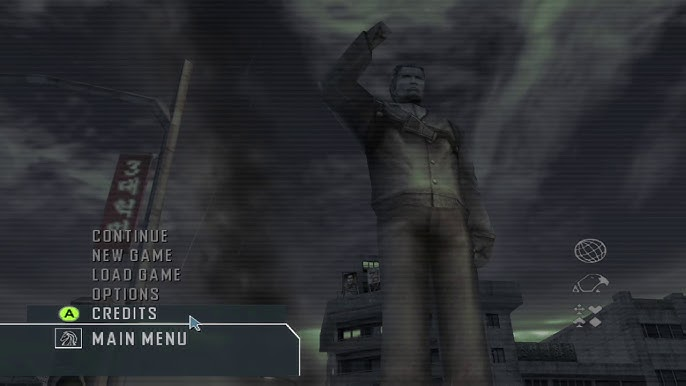
Building a modern project around an old codebase
I kept the original project files as reference and set up CMake for a Win32/x86 build with Visual Studio 2022. The source already had useful layers: Pebble for platform services, RedEngine for rendering and resources, and RetroStrike for the game. Keeping those divisions let me compile and test one layer at a time instead of trying to solve every linker error at once.
The first target was tiny. It checked the compiler, architecture, include paths, and runtime flags before I added original engine code. I then added small smoke programs for Pebble, Havok, and RedEngine. Each had to compile and exit cleanly in Debug and Release before I connected the next layer.
Replacing the Xbox platform layer
Much of the game was portable C++, but the code underneath it expected Xbox APIs and an older Microsoft compiler. I needed Windows implementations of file access, logging, timing, controller input, rumble, and some math and memory helpers. Compiler settings also had to account for Windows-1252 source and older language behavior.
I routed controller input through XInput, leaving the original game-facing input code in place. Keyboard and mouse provided a fallback during development. For files, the runtime identified itself as a PC build, with a compatibility layer resolving Xbox-era data names whenever a PC-named equivalent was missing.
Getting the dependencies across
Havok 2.3 was the largest external dependency. I staged its licensed Win32 libraries separately for Debug and Release and exposed them to CMake as imported targets. A few pieces needed rebuilding with the executable's ABI, and small shims handled CRT and key-code differences between the old libraries and Visual Studio 2022. Lua and the other bundled libraries joined the same build.
The source, licensed middleware, and original game data stayed local. The build didn't download or redistribute proprietary assets.
Opening a real Windows window
The first renderer opened a Win32 window and passed its HWND to a D3D11 backend. That created the swap chain,
render target, and present loop using the modern Windows SDK. A small HLSL shader, compiled by fxc.exe, drew a textured
quad so I could check that textures and GPU buffers were making it through RedEngine. Hardware rendering was the default, with WARP
available for diagnostic runs.
A textured quad was a long way from the game, but it gave me a working path from the engine to a Windows display. I could build on that and compare the output as more of the renderer came across.
Reconnecting the original game bootstrap
With those pieces working, I switched from the renderer test loop to the original RsMain::Main bootstrap.
Temporary bridges covered subsystems that weren't needed to reach the menu, and missing PC configuration names fell back to the
shipped equivalents. The game could load shell2 and process menu input through its own frontend code.
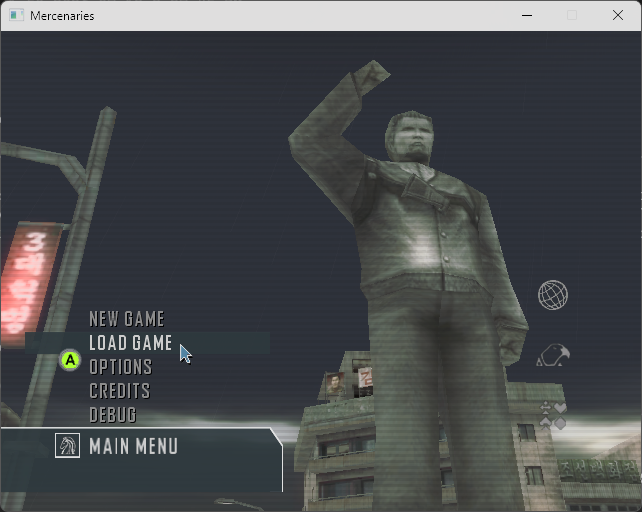
Getting past the menu also required the generated virtual disks alongside the loose data. They contained the level lists, textures, and global definitions expected by the game. Once those were mounted, basic terrain parsing and the Havok heightfield path let me enter the first world, create the player, and keep the process running for a sustained test.
What the first working build required
- Windows 10 or 11.
- Visual Studio 2022 with Desktop development with C++, MSVC v143, CMake tools, and a Windows SDK.
- The original source/data directory layout and local junctions expected by the tools.
- The licensed Havok Win32 libraries, staged locally for both build configurations.
- The generated game-data disks required by the original streaming system.
For this first build, I configured and compiled Debug from a Visual Studio Developer PowerShell with:
cd C:\projects
cmake --preset windows-debug
cmake --build build\out\windows-debug --config Debug --target mercenaries -- /m:1
That build put the executable at build\out\windows-debug\build\cmake\Debug\mercenaries.exe.
I used serial MSBuild for the full game target because some of the legacy projects could compete for shared program-database files.
The milestone
At this stage I had a native x86 executable using Win32, D3D11, and XInput to boot the original code, show its frontend, and respond to a controller. There were still incomplete systems and plenty of work beyond the menu. But I could now build the game with a current toolchain, run it on Windows, and test changes one system at a time. That's a good place to keep going from.